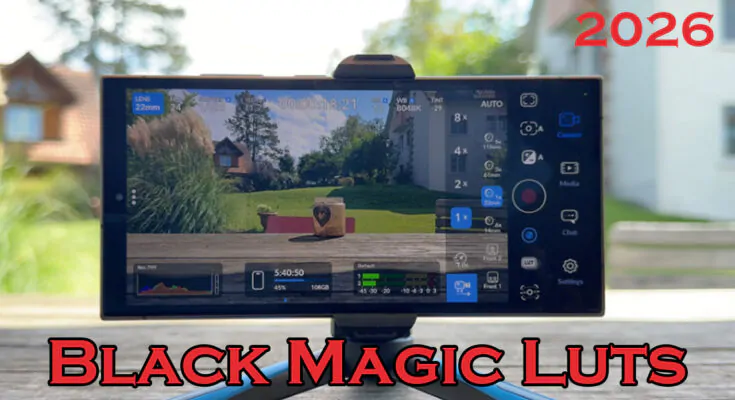
In 2026, smartphone video has reached cinema quality — but only if you pick the right app. Blackmagic Camera stands out as the best camera app for Android & iOS. Developed by Blackmagic Design, this free app turns your phone into a professional digital film camera.
Whether you shoot on iPhone, iPad, Samsung, or Google Pixel, Blackmagic Camera gives you manual controls, ProRes recording, and built-in support for LUTs. Best of all, you can grab free LUTs directly in the app or from trusted sources. If you want pro-looking videos without expensive gear, this is the app you need.
What is the Blackmagic Camera App?
Blackmagic Camera is a free mobile app that adds advanced filmmaking tools to your phone’s camera. It works on both Android and iOS devices running the latest operating systems.
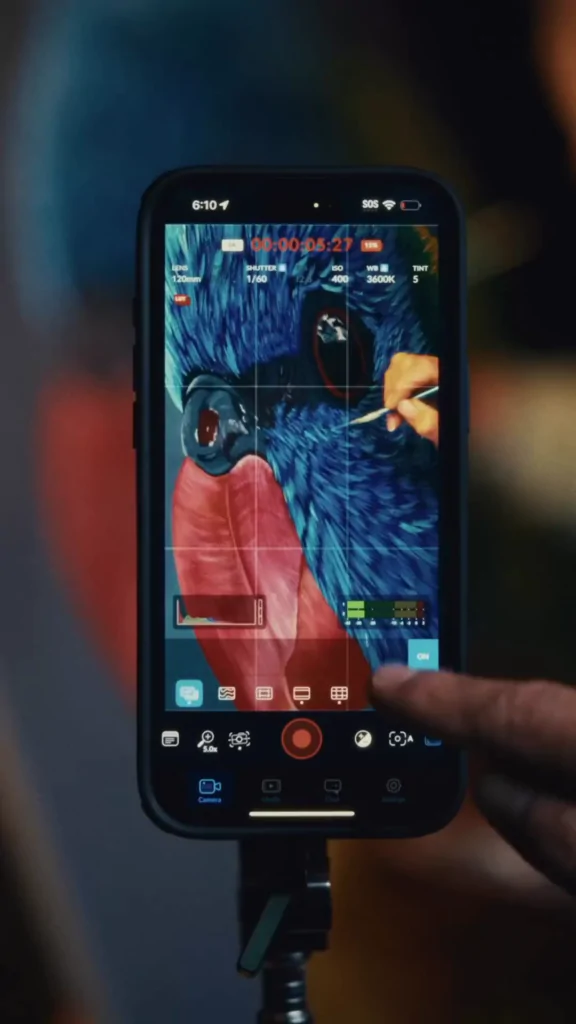
Unlike basic camera apps, it offers full manual control over focus, exposure, shutter speed, ISO, and white balance — just like a real cinema camera. You can record in Apple ProRes, H.265, or even log profiles for easy color grading later.
Why Blackmagic Camera Is the Best Camera App for Android & iOS in 2026
Key Features That Make It Stand Out
- Pro Manual Controls: Lock exposure, shutter angle (180° for cinematic motion), and focus peaking.
- High-Quality Recording: Shoot 4K, high frame rates, and ProRes RAW on supported devices.
- LUT Support: Preview film looks in real time without baking them into your footage.
- Audio Tools: Professional metering and support for external mics.
- Clean Interface: Simple HUD that feels like Blackmagic’s pro cameras.
In 2026, version 3.0+ brings even better stability, remote clip syncing, and quick preset access. Creators love it because footage looks like it came from a $5,000 camera — all from your pocket.
How to Download Blackmagic Camera on Android & iOS
Getting started is easy and 100% free:
- On iOS: Search “Blackmagic Camera” in the App Store.
- On Android: Download from Google Play (works best on Samsung and Google Pixel phones).
Official download is available at blackmagicdesign.com/products/blackmagiccamera. Install, open the app, and you’re ready to shoot like a pro.
Free LUTs for Blackmagic Camera: Enhance Your Videos in 2026
LUTs (Look-Up Tables) are preset color grades that instantly give your footage a cinematic, film-like look. Blackmagic Camera makes using them simple.
Built-in Free LUTs from Blackmagic
With the 2026 update, the app includes 10 free LUTs straight from Blackmagic. These include Apple Log to Rec.709 conversions and beautiful film emulations. Just tap the LUT button in the app and select them — no extra download needed.
How to Add More Free LUTs
Want even more options? Download free .cube LUT files from trusted sites like fixthephoto.com or freshluts.com. Then:
- Open Blackmagic Camera settings.
- Go to LUT Manager.
- Import your downloaded LUT files.
- Apply them as preview or recording LUTs.
This gives you hundreds of professional looks — all free.
How to Use LUTs in Blackmagic Camera App
- Start recording in Log mode for maximum flexibility.
- Tap the LUT icon on the main screen.
- Choose your favorite free LUT to preview the final look.
- Record — the LUT stays as a preview only, so you can adjust grading later in DaVinci Resolve.
This workflow saves hours in post-production and makes your videos pop right away.
Conclusion
Blackmagic Camera is clearly the best camera app for Android & iOS in 2026. It delivers pro features, stunning image quality, and easy access to free LUTs — all completely free. Whether you’re a beginner filmmaker or seasoned content creator, this app will level up your videos instantly.
Download Blackmagic Camera today, grab the free LUTs, and start shooting cinema-quality content on your phone. Your next viral video is just one tap away!
ANDROID

IPHONE
LUTS
FAQs
1. Is Blackmagic Camera really free? Yes, the full app is completely free on both Android and iOS with no hidden payments.
2. Does Blackmagic Camera work on all Android phones? It works best on Samsung and Google Pixel devices. Check compatibility on the Google Play Store.
3. Where can I get free LUTs for Blackmagic Camera in 2026? Use the 10 built-in free LUTs or download extra .cube files from trusted sites like fixthephoto.com.
4. Can I use LUTs while recording? Yes! You can preview LUTs live and choose to record with or without them baked in.
5. Is Blackmagic Camera better than other camera apps? Most creators say yes — it offers more manual controls, better codecs, and true pro LUT support than any other free app.